
Join Chat" and "Signature Message" are two new features in BotSailor Live Chat to bring more flow in teamwork. These two tools help to bring more speed in customer problem resolution, transparency, accountability in team members, and give a clear track record of when team members join or leave a conversation.The "Join Chat" option and customizableSignature Messageprovide your team a professional conversation flow to improve the customer experience. In this blog we have given a comprehensive guide and use case ofJoin chatand theSignature massagefeature in the BotSailor live chat.
Table Of Content
- What is BotSailor Live Chat?
- How does the “Join chat” handover feature enhance Customer support?
- Use case of Join Chat feature
- What is a Signature message?
- How to customize Signature massage
- How to customize Signature massage
- Conclusion
What is BotSailor Live Chat?
BotSailor live chat is an all in one shared inbox for Website chat, WhatsApp, Facebook, Instagram and Telegram; from where team members can send and receive messages, add labels to specific customers, and more.
Read our comprehensive blog onBest Omni Channel Inbox for Customer Supportto learn more about the features and uses.
How can the “Join chat” feature enhance Customer support?
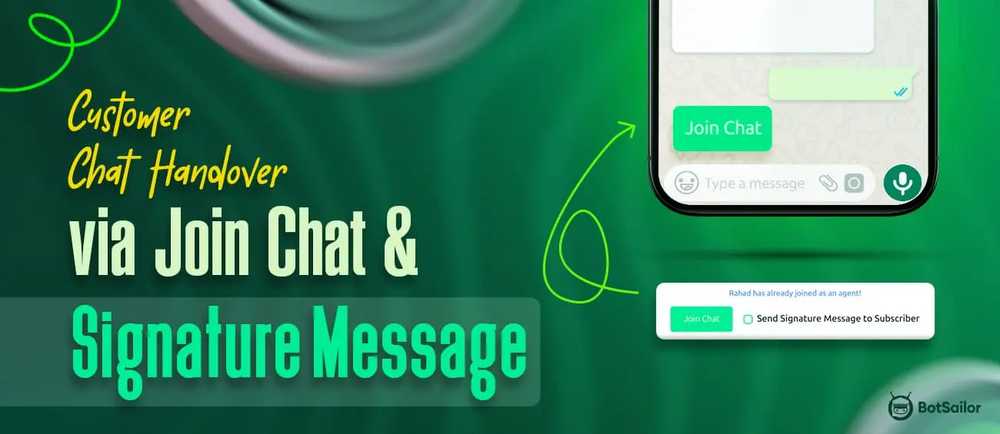
The live chat join is a newly added button that a customer agent has to click to send a message to the customer.

After clicking the “Join Chat” option, the live chat panel will auto reload and a new agent can take over the conversation.

Use case of Join Chat feature
Sometimes customers ask to talk to different members in the team or in an awkward situation when a customer is angry and the support team member is also sad because of not being able to help the customer. At that time, the customer support member can handover the conversation and a new customer support agent can send a signature message including his name on it.What is a Signature message?
A signature message is a short message that can be sent after the new agent joins in the conversation, this message will be sent to the user to confirm that the user is talking to another person.

The new agent has to select thesend signature message to the subscriberand after clicking theJoin chata message will be sent to the user addressing that the new agent is now connected with the user.

How to customize Signature massage
TheSignature Messagecan be customized from theBot manager settings > configuration.

The agent can send their name to the user also if thenamevariable is used in theSignature Message.After the desired changes, the setting needs to be saved.
Conclusion
The Join Chat feature is a handy feature that can help when someone has more than 1 team member. Also, the signature message is a convenient way to inform the customer about the conversation handover to a new agent. The admin can monitor everything who came in and who is now connected with the customer
For team collaboration, this small feature can make a huge difference and can bring more speed to customer problem resolution.
Start usingBotSailor for Business automationand give your team the best tools for collaboration.
Related Articles:
Customer Chat Handover via Join Chat and Signature Message
AI Assistant Chatbot: Revolutionize Your Customer Support
How to Set Up Persistent Menu in Your Website Chatbot